Main component versions in the release:
1 Product API 2012.22.2
2 Nokia Connectivity Cable USB Driver Version 7.1.78.0
3 Flash Update Package 2012.11
4 FUSE Connection Manager v 2012.22
5 Envira CL 2012.16
MAIN CHANGES & ERROR CORRECTIONS FROM PREVIOUS VERSION 2012.16.4.48159
Error Corrections & changes:
New product: RM-884
Please note:
Energy Management Calibration should not be performed for products using the “Quantum” engine (RM-689, RM-702, RM-704 and other product using the same engine)
EM calibration improved
Multiflashing problem (Genius case 186053) solved
RM-653 settings added
Supported operating systems and user rights
6 Windows XP Service Pack 1 or higher
7 When installing Phoenix into Win XP you must have local admin rights.
8 When using in Win XP, user must have power user rights.
9 Windows 7 32 Bit version
10 Windows 7 64 Bit version (Please note that FLS-5 drivers do not support Win 7 64 bit OS, therefore FLS-5 can not be used in this operating system)
Monday, 24 August 2015
Thursday, 8 January 2015
MRS TOOL FULL CRACK
LATEST VERSION MRS TOOL FULL CRACK
MRS TOOL DONGLE CRACK
FITUR THE MRS
FITUR BLACKBERRY
*AUTO DETECT INFO
*AUTO CONNECT WITHOUT BATTERY
*AUTO FACTORY OS / FOS
*AUTO INSTALL FULL OS (Without Online)
*AUTO WIPE OR ERASING (With Selection Area)
*AUTO REPAIR RECONNECTING JVM ERROR
*AUTO REPAIR RED BLINK Or STUCK Loading
*AUTO BYPASS PASSWORD
*AUT0 RESET LCD / CLEAR LCD (Change LCD With All Series)
*AUTO RESET MEP0 / HARD PROTECT (MEP0 OLD SECURITY)
*BB 10 OS Flashing with Repair Procedure
*WRITE IMEI\PIN (for old model only, Factory os are required)
*AUTO Load VSM file *Branding
*Load Mep file for unlock
*AUTO CALCULATE MEP (Unlock Offline)
*AUTO READ SYSTEM (easy to backup or erase)
*AUTO TAKE SCREENSHOT (saved as *.bmp file)
*AUTO ENGINEERING SCREEN CODE CALCULATOR
*AUTO READ SPC \ MSL code
*LOAD (BIN file) Flash Address are Required
*LOAD NV File directly (fixing network calibration)
*Erase EFS MODEM Area (Fixing Red blink in Quallcom
OS7,OS7.1)
*Create AUTO OS with file selection
*Read OS From Phone (saved as *.bin file)
*READING PHONE INFORMATION, ALL SECURITY ARE
SUPPORTED
*SUPPORT ALL JAVALOADER FUNCTION (some GUI are fix it)
*CHECKING FLASH FIRMWARE (Check VALIDASI SFI/MFI/BIN)
*Improved Method For Stuck Loading Repair
*Installing OS Manualy by Selecting Application
*READ SYSTEM ( all *.cod file (easy to backup or erase)
*INSTALL APPLICATIONS (Install 3party YM, appword dll)
*Flashing with file selection (LOADER WIZARD method)
*Erase EFS MODEM Area (Fixing Red blink in Quallcom
OS7,OS7.1)
*CDMA TOOLS (this is beta version)
UPDATE NEW FEATURE MRS TOOLS
*ADDED NEW FEATURE WRITE IMEI Quallcom Offline Method
*ADDED NEW FEATURE URGENT MOVE (REPAIR EFS WITHOUT
LOSE ANY IMEI)
*ADDED NEW FEATURE REPAIR IT (REPAIR BOOTROM)
*ADDED NEW FEATURE WRITING ESN and MEID (Next Version)
*ADDED NEW FEATURE BACKUP/WRITE NV ITEM(NVD FILE)
*ADDED NEW FEATURE CONVERT METHOD SERIAL MEID
DECIMAL
FITUR ANDROID
*AUTO CONNECTED WITH PHONE INFO(NORMAL MODE)
*AUTO CONNECTED WITH DOWNLOAD MODE (BOOT MODE)
*AUTO CONNECTED WITH FASTBOOT (DEAD MODE)
*WIPE DATA SYSTEM AND CACHE
*REBOOT PHONE
*AUTO RESET GMAIL
*COMMAND LINE WITH ADB SHELL
*INSTALL APLIKASI .APK
*FLASH SAMSUNG 3G MODEL
*Reboot Recovery Mode
*ROOT + UNROOT Auto Method
![]() |
| MRS TOOL CRACK DOWNLOAD HERE PASSWORD;dyracell |
Monday, 22 December 2014
Thursday, 18 December 2014
Main component versions in the release:
• Product API 2012.22.2
• Nokia Connectivity Cable USB Driver Version 7.1.78.0
• Flash Update Package 2012.11
• FUSE Connection Manager v 2012.22
• Envira CL 2012.16
MAIN CHANGES & ERROR CORRECTIONS FROM PREVIOUS VERSION 2012.16.4.48159
Error Corrections & changes:
New product: RM-884
Please note:
Energy Management Calibration should not be performed for products using the “Quantum” engine (RM-689, RM-702, RM-704 and other product using the same engine)
EM calibration improved
Multiflashing problem (Genius case 186053) solved
RM-653 settings added
Supported operating systems and user rights
• Windows XP Service Pack 1 or higher
• When installing Phoenix into Win XP you must have local admin rights.
• When using in Win XP, user must have power user rights.
• Windows 7 32 Bit version
• Windows 7 64 Bit version (Please note that FLS-5 drivers do not support Win 7 64 bit OS, therefore FLS-5 can not be used in this operating system)
• Product API 2012.22.2
• Nokia Connectivity Cable USB Driver Version 7.1.78.0
• Flash Update Package 2012.11
• FUSE Connection Manager v 2012.22
• Envira CL 2012.16
MAIN CHANGES & ERROR CORRECTIONS FROM PREVIOUS VERSION 2012.16.4.48159
Error Corrections & changes:
New product: RM-884
Please note:
Energy Management Calibration should not be performed for products using the “Quantum” engine (RM-689, RM-702, RM-704 and other product using the same engine)
EM calibration improved
Multiflashing problem (Genius case 186053) solved
RM-653 settings added
Supported operating systems and user rights
• Windows XP Service Pack 1 or higher
• When installing Phoenix into Win XP you must have local admin rights.
• When using in Win XP, user must have power user rights.
• Windows 7 32 Bit version
• Windows 7 64 Bit version (Please note that FLS-5 drivers do not support Win 7 64 bit OS, therefore FLS-5 can not be used in this operating system)
Monday, 1 September 2014
Sunday, 17 August 2014
Saturday, 12 July 2014
Sunday, 1 June 2014
Tuesday, 13 May 2014
Saturday, 3 May 2014
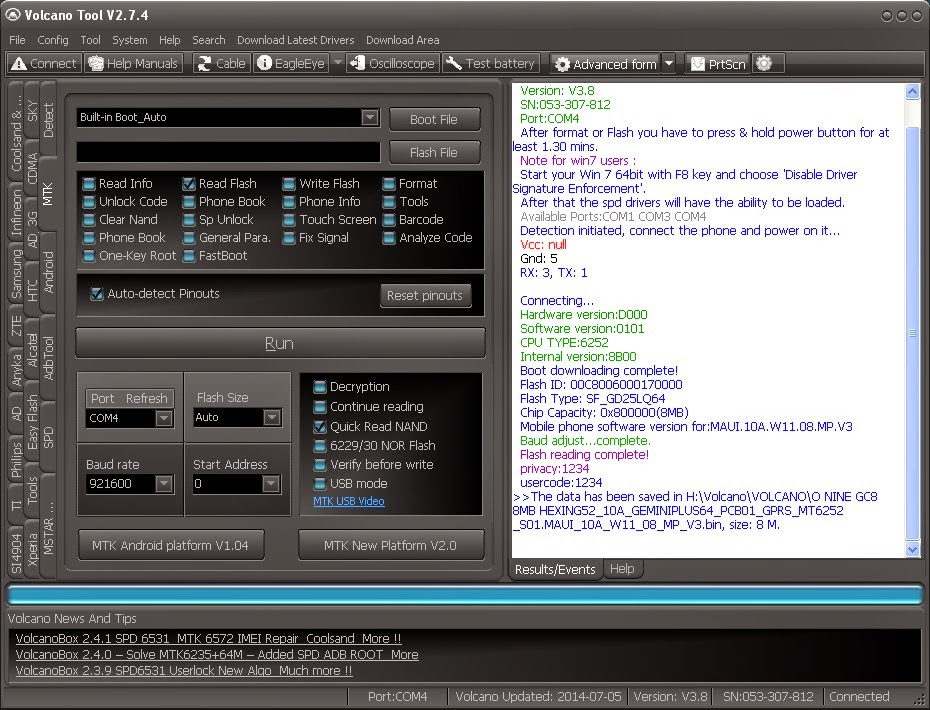
Micromax A72 Hard Reset and Remove Pattern Lock Using Volcano Box
How to remove patter lock Micromax A72
Steps:
- Open Volcano Tool and Use Jig P-05B
- Go to MTK Tab
- Tick on Read Info
- Then Click on Run
- When You See Analyzing Rx and Tx...
- Now connect The Micromax A72 to Volcano box with cable (Use Phone's Battery) (don't use box power cable)
- Then Press Volume Down + Power button until android logo appear
- Then Press the Soft Menu Button to get wipe Data option ( Down Left Button)
See the Screen shot Below---
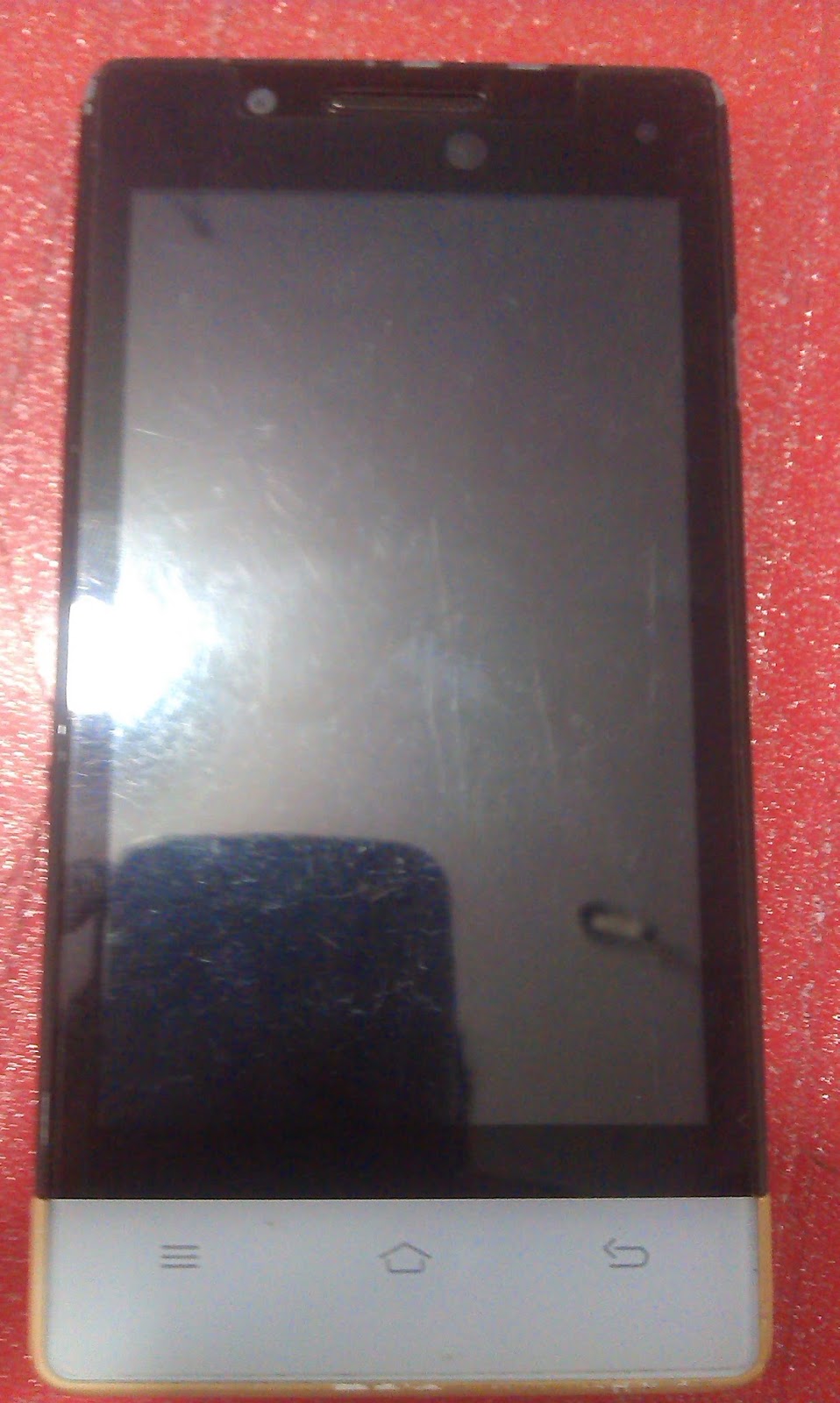
Micromax A72 pattern Lock Remove - When you see this (Analyzing Rx and Tx) Connect Jig to the Phone and Press Volume Down + Power Button Until the Android Logo Appear
When You see this on your Micromax A72 that means your work is done - Use the soft menu key to go to the recover menu
Micromax A72 patter Lock Removed 100% Solved
Friday, 2 May 2014
XOLO A1000 OPUS HARD RESET
press and hold press power button vibrate mobile just hold volume up go recovery option to select recovery option select delete all user date done hard reset
Wednesday, 16 April 2014
Samsung SCH-W259 Flashing Done With Z3x and Samsung PST
Samsung SCH-W259 Flash Done With Z3x and Samsung PST
Here is the way how you can flash Samsung SCH-W259 Duos CDMA + GSM using Z3X and Samsung Phone Service Tool (PST) and the below is the procedure to Flash the phone.
Samsung W259 Flashing Problem Solved
Tools and Firmwares to Download for Samsung SCH-W259
SamsungPST_W259 For India
SamsungPST Setup
Samsung Firmware Binary W259DDDA2
Steps:
Flashing the GSM Part on Samsung W259
- Connect the Z3x box to the computer and see the COM port in Device Manager
- First install SamsungPST setup and Samsung PST_W259 For India.msi
- Then Run SamsungPST.exe (C:\Program Files\Samsung Electronics\SamsungPST)
- Click on the Model SCH-W259
- Go to SW Tab and choose software download option BIN+TFS(GSM)
- Select the GSM Flash file and Click on Start Software Download
- It will ask to select the COM Port Choose the Z3x COM Port and Click on OK
- One pop up will open just click OK
- Now connect the Phone to Z3x Box using RJ45 Cable an Press the Power Button(E210 Cable)
- The download process will start and takes about 30 minutes to complete
Note: Don't click on Rebuild.
| Samsung SCH-W259 Flash done with Samsung PST and Z3x |
Flashing the CDMA Part Samsung W259
- After complete the GSM Flash Close the Samsung PST and Open it again
- Then Select EMERGENCY(CDMA)
- Open the CDMA File W259DDDA2.bin
- COM port setting should be the Modem COM Port (Setup-->Port Setting)
- Click on Start Software Download
- Now connect the USB Cable to the phone by pressing 9
Note:
Use E210 USB Cable to flash CDMA Part
Use E210 UART Cable to flash GSM Part
Friday, 31 January 2014
Monday, 30 December 2013
Subscribe to:
Comments (Atom)